

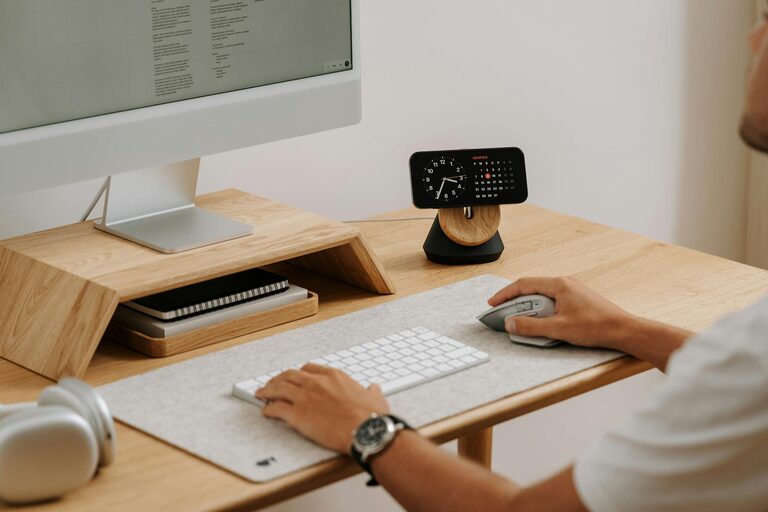
Creating a home office that feels both cozy and productive can significantly improve your work-from-home experience. Whether you work full-time remotely or occasionally need a quiet spot for tasks, designing a space that inspires focus and comfort is essential. In this blog post, we’ll explore practical tips to help you build a home office that balances warmth and efficiency.
Why a Cozy and Productive Workspace Matters
A comfortable workspace encourages longer periods of focused work without feeling drained or stressed. At the same time, productivity is boosted when your environment minimizes distractions and supports your workflow. When these two elements combine, your home office becomes a place you look forward to spending time in.
Choose the Right Location
Consider Natural Light
Where you place your home office can make a big difference in both your mood and productivity. Ideally, pick a spot that receives plenty of natural light. Sunlight helps reduce eye strain and can increase your energy throughout the day.
Minimize Noise and Interruptions
Try to find a quiet part of your home, away from busy areas like the kitchen or living room. If possible, choose a room with a door to limit noise from family members or housemates.
Invest in Comfortable and Functional Furniture
Ergonomic Chair and Desk
Comfort starts with furniture. An ergonomic chair that supports your back can prevent discomfort during long working hours. Pair it with a desk at the right height to avoid strain on your wrists and shoulders.
Flexible Desk Options
If space allows, consider a sit-stand desk. Alternating between sitting and standing can improve circulation and reduce fatigue.
Organize Efficiently
Declutter Regularly
A tidy workspace helps clear your mind. Keep only the essentials on your desk and store other items in drawers or shelves.
Use Storage Solutions
Incorporate organizers, shelves, or filing cabinets to keep papers and office supplies neatly arranged. Labeling bins or folders can also save time when searching for documents.
Enhance Lighting
Layer Your Lighting
While natural light is best, it might not be sufficient throughout the day. Use a combination of ambient, task, and accent lighting to keep your space well-lit.
Position Desk Lamps Properly
Place your desk lamp on the side opposite your dominant hand to avoid casting shadows while writing or working on your computer.
Personalize Your Space
Add Greenery
Plants do wonders for air quality and bring a touch of nature indoors, creating a calming atmosphere.
Use Color Thoughtfully
Choose colors that inspire you. Soft blues and greens are known for their calming effects, while brighter shades like yellow can energize.
Incorporate Personal Items
Display a few personal touches like photos or artwork to make the space inviting without overcrowding it.
Manage Technology Smartly
Position Monitors Correctly
Set your computer screen at eye level to reduce neck strain. Using a monitor stand or adjustable arm can help.
Organize Cords
Use cable organizers or clips to keep wires neat and out of the way, preventing clutter and hazards.
Reliable Internet and Equipment
Ensure your internet connection and office equipment like printers or scanners work smoothly to avoid disruptions.
Create a Routine-Friendly Environment
Dedicated Work Hours
Set boundaries by defining when you start and end your workday to maintain balance.
Take Breaks
Incorporate short breaks to rest your eyes and stretch, boosting overall focus.
Keep Comfort in Mind
Temperature Control
Have a fan, heater, or adjustable thermostat nearby to maintain a comfortable temperature.
Soft Textiles
Add a cozy rug, cushions, or a blanket to create warmth and texture.
—
By thoughtfully combining comfort and efficiency, your home office can become a space that supports both your well-being and your productivity. Start small with a few changes and gradually build your ideal workspace. A cozy, organized, and well-lit office will help you feel ready to tackle any task that comes your way.